

We've refreshed the employer dashboard you use to manage your group plan. Nothing moved — the menus and sections are exactly where you left them. What changed is what happens inside each page: a homepage that surfaces what needs your attention, a payroll table that's far easier to read, and a richer employee view that shows each person's status, the state of every account they hold, their contribution elections, and the actions you can take — all in one place. If you administer a plan in the Wealthsimple group savings platform, here's what's new and what it means day to day.
What's changing (and what isn't)
Let's start with the reassuring part: your navigation hasn't moved. Every section lives in the same place, the same links do the same things, and you don't need to relearn how to get around. This is a refresh within each page, not a reshuffle of the whole dashboard.
What's new is the experience inside those pages — cleaner layouts, less clutter, and information organized the way you actually use it.
A homepage that tells you what needs attention
When you log in, your homepage now leads with what matters instead of making you hunt for it. Participation rate, total average contribution rate, pending invites — all surfaced right at the top. If something needs your attention, it's flagged with a direct link to act on it. This is just a first step, of many, towards giving plan admins clear and simple visibility into their current plan health and what could be done to improve it.
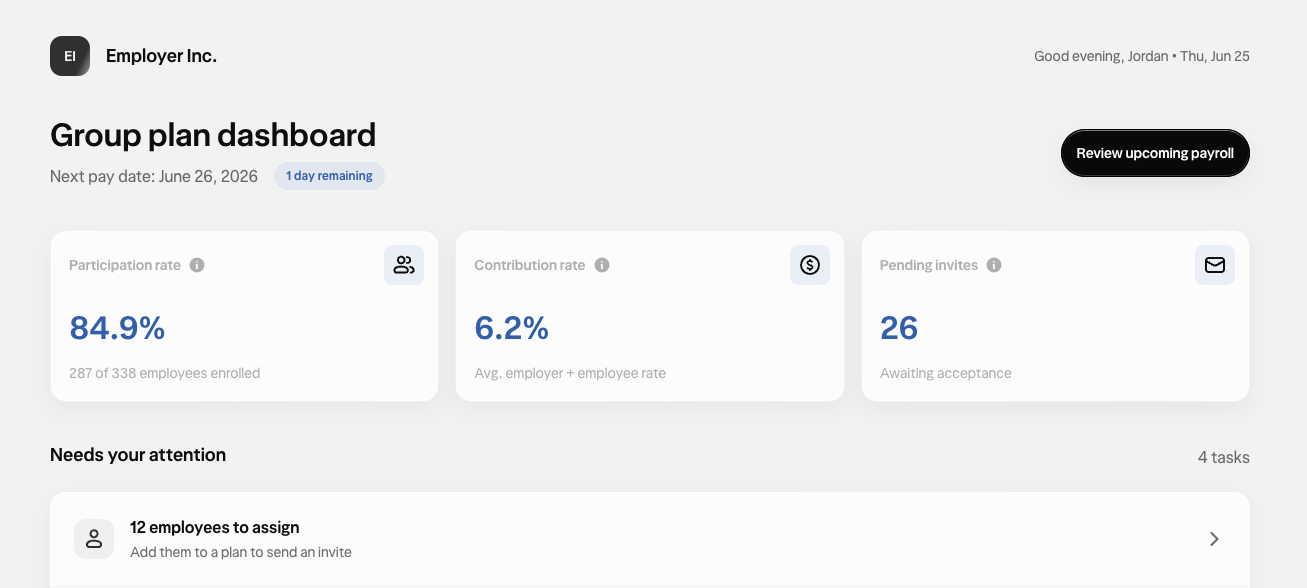
The idea is simple: most of the time you sign in to do something specific. The refreshed homepage puts those starting points up front, so the path from "I need to check on X" to "done" is shorter.
A clearer view of every employee
The employee view is where the refresh does the most work. Open any employee profile and you can now see their status, the state of each account they hold, what they're contributing, and the actions you can take — without digging through separate screens.
Employee status
Each member now carries a clear status so you can see where they stand at a glance. Hover over a state label for more detail.

New account states
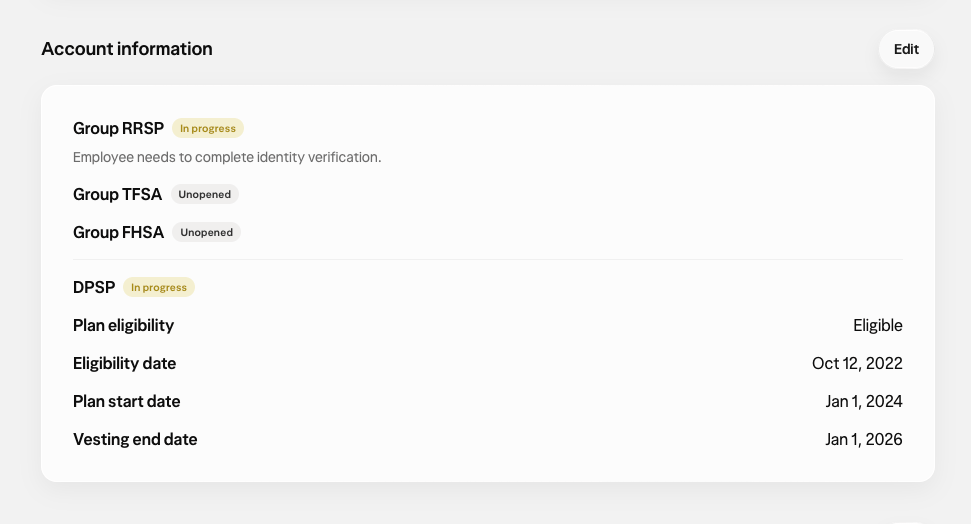
Beyond the employee's overall status, you can now see the state of each individual account that employee holds — unopened, in progress, open, or closed. And when an account is in progress, the dashboard surfaces a flag telling you exactly what's left to complete, like verifying the employee's identity or finishing their account setup questions. Instead of wondering why someone isn't fully enrolled, you can see what's holding it up and who needs to act.
Contribution details
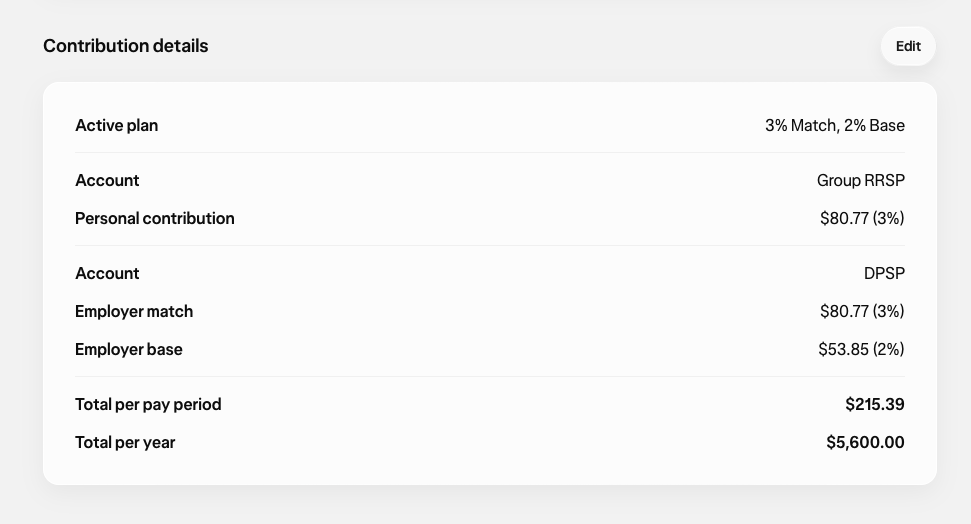
Under each employee profile, you can see their current contribution elections broken out by account type and contribution source — as long as Wealthsimple has the employee's contribution election inputs on file. So when someone asks what they're set to contribute, or you're reconciling a payroll run, the answer is right there on their profile.
Quick actions
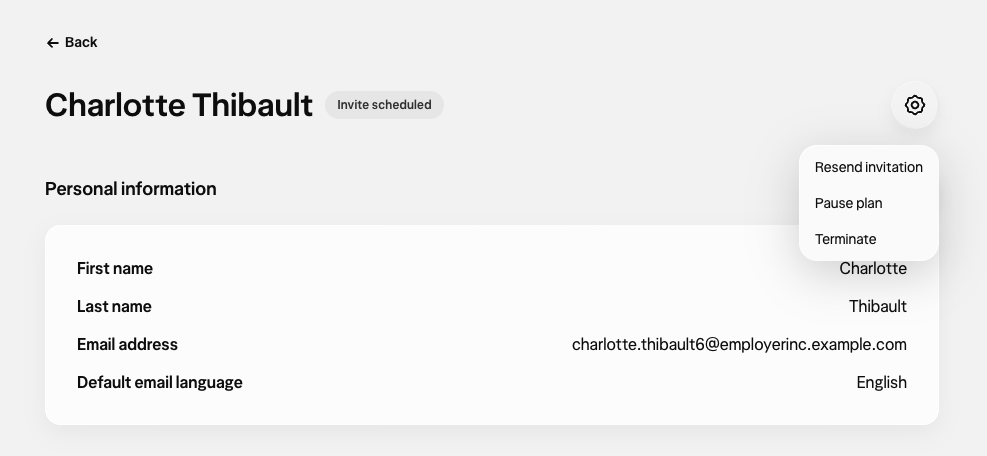
Managing an employee no longer means hunting for the right screen. Tap the gear icon at the very top of any employee profile to:
Resend an employee invite
Pause or resume their plan
Terminate or restore their participation
The most common things you need to do for a member now live one tap from their profile.
Payroll, rebuilt
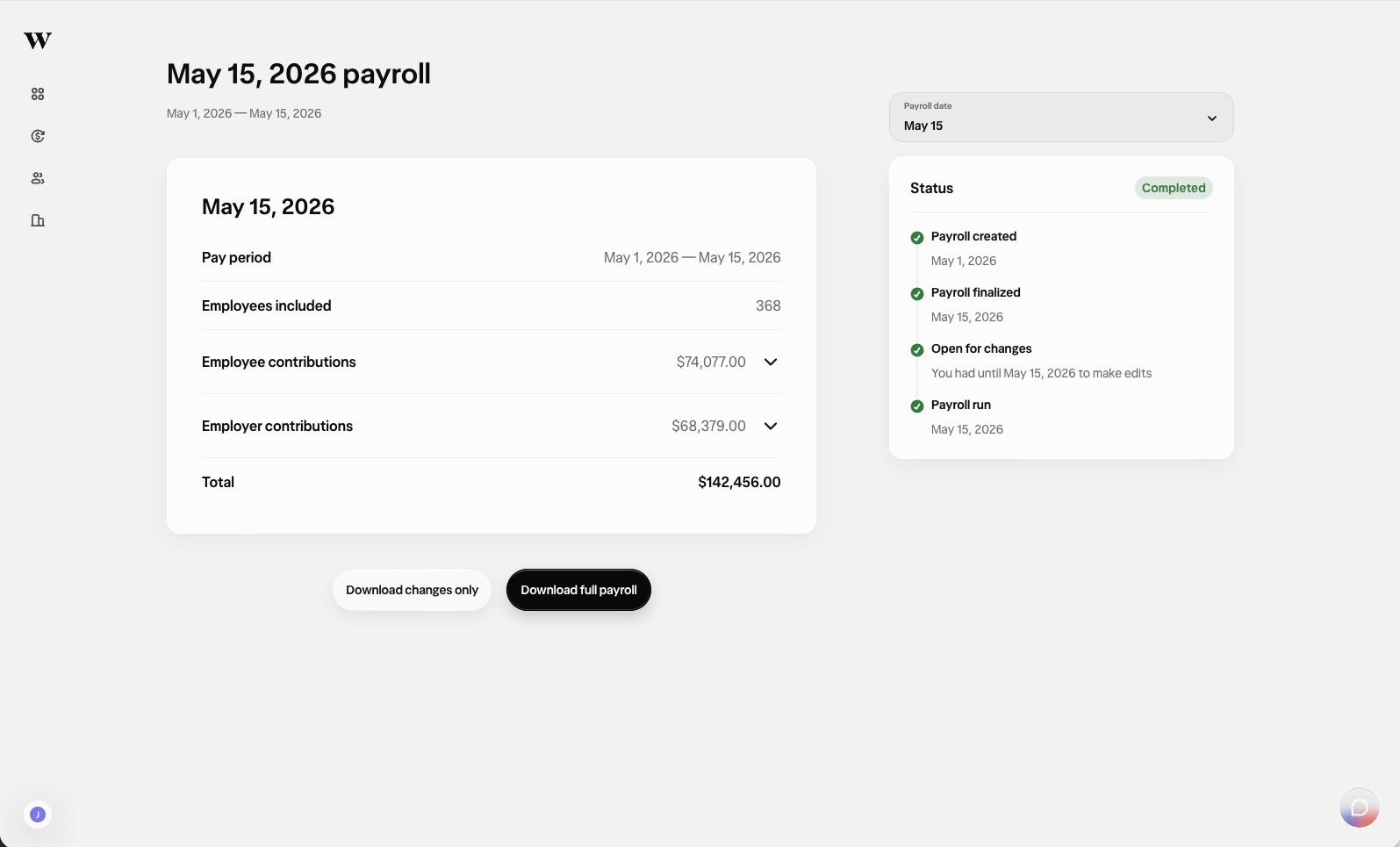
The payroll table is where plan admins spend a lot of their time, so we rebuilt it for clarity. The old card layout is now a clean table, with pay date, status, type, and total all visible in one place. Need the details? Each run expands to show its full breakdown — so you get the at-a-glance summary and the line-by-line view without switching screens.
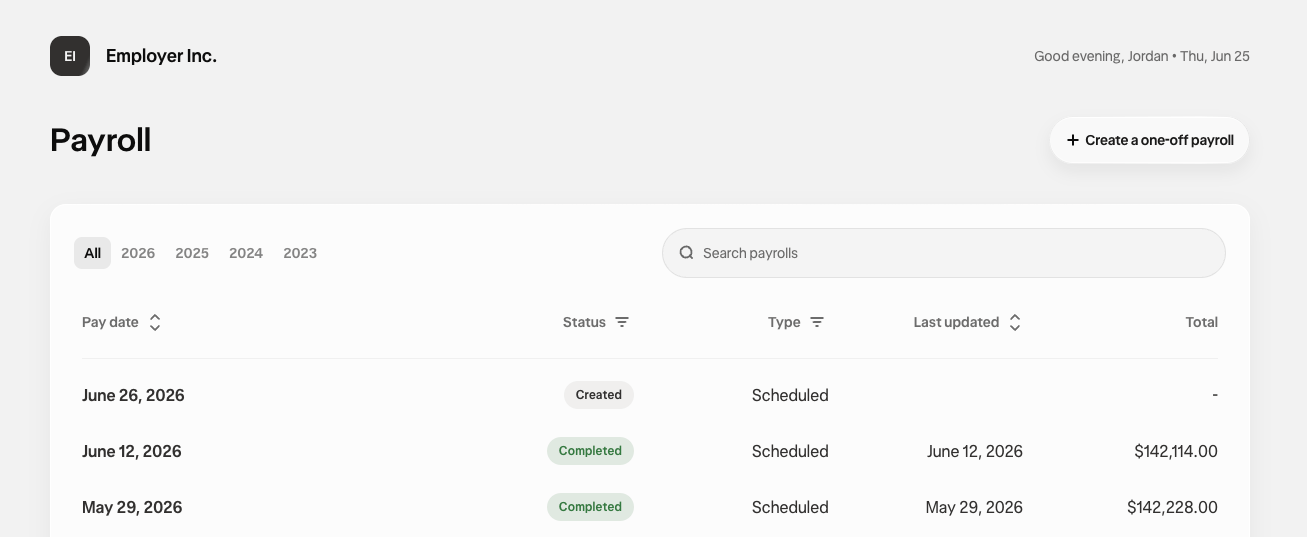
If you run payroll on a cycle, this is the page you'll notice most: fewer squinting-at-cards moments, and more confidence that what you're looking at is right before you submit.
What this means for you
This refresh is about getting you to "done" faster, with less second-guessing. Concretely:
Onboarding a new hire? You can see whether each of their accounts is unopened, in progress, open, or closed — and exactly what's left to finish if something's stuck, like ID verification.
Fielding a contribution question? Their current elections by account type and source are right on their profile.
Need to make a change? Resend an invite, pause a plan, or terminate participation straight from the gear icon at the top of the profile.
Running payroll? The rebuilt table shows pay date, status, type, and total at a glance, and expands for the full breakdown.
And because none of the navigation moved, you get all of this without relearning the dashboard. Your muscle memory still works.
When you'll see it
The refreshed dashboard rolls out to existing plan admins starting July 2, 2026. You'll get an email when it's live, and the first time you log in afterward you'll see a short in-product walkthrough highlighting the key changes.
If you manage a larger or more complex plan and would like a walkthrough in your own environment, your Wealthsimple contact can set that up.
Take a look
Next time you log in, have a look around. Everything's where you left it — just clearer.