Prediction markets aren’t rocket science, but in matters of investing (as in interstellar travel), it pays to know the function and purpose of all the bells and whistles — and numbers and percentages and big, blinking buttons that you should never yell “Here goes nothing!” before pressing.
To help you fully understand prediction markets before investing, here are many of the buttons and information you should see when buying a contract, along with what each one is and why it’s worth paying attention to. Just click the numbers on the image to bring up the explanations.
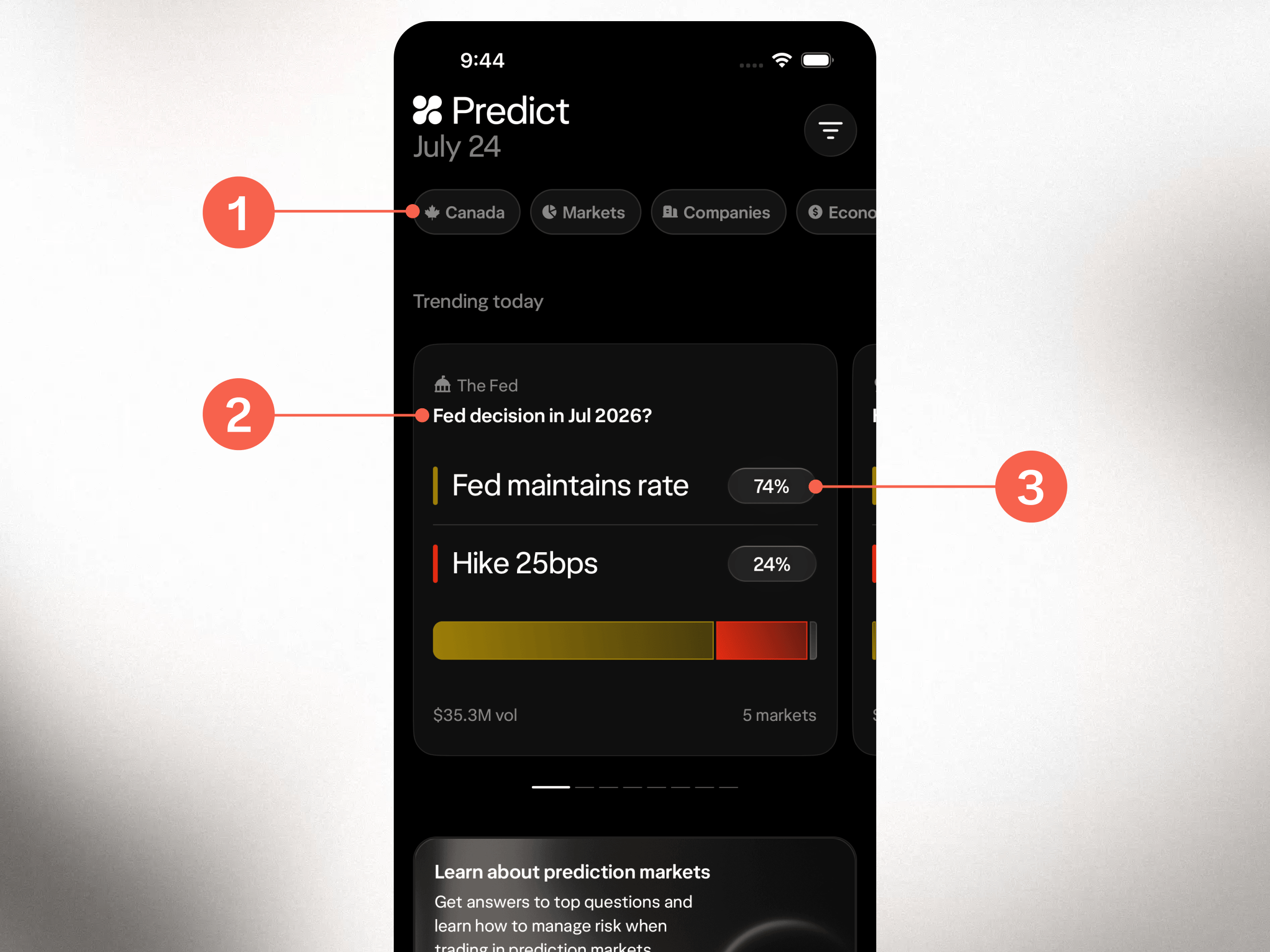
Available markets. These buttons let you filter the events you’re shown by category — e.g., Canada, Markets, Companies, Climate, and the Economy.
Event preview. Quickly scan the different events to find what you're interested in.
Probabilities. The price of each Yes/No contract depends on what others are willing to trade. There’s no “house” or centralized oddsmaker. Instead, the contracts are listed on an exchange, similar to stocks. This means the probability will fluctuate based on the current supply and demand between buyers and sellers.
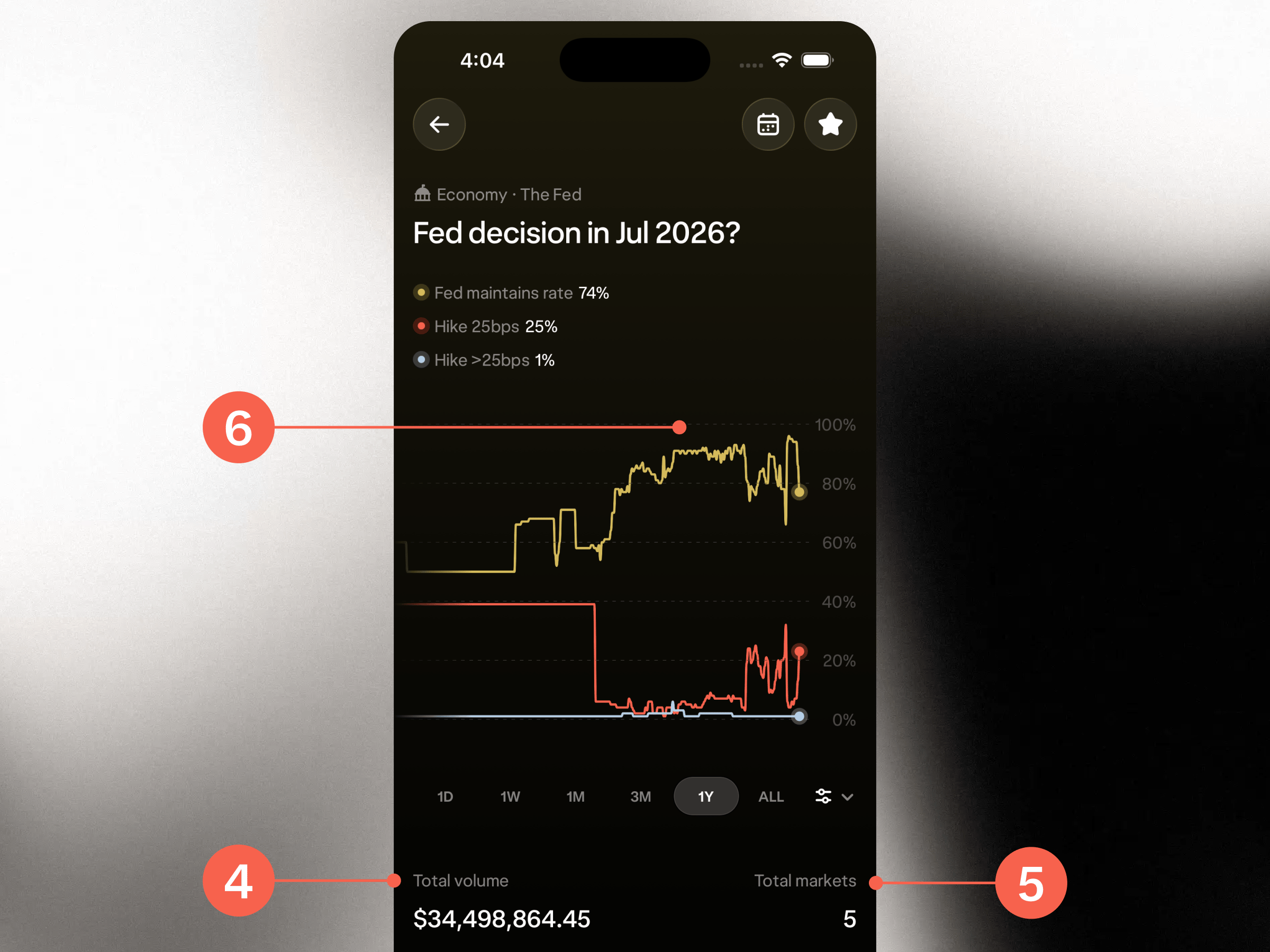
Trading volume. The total dollar value of all contracts sold for this event. A high number indicates strong interest and liquidity. A low number can lead to wider bid-ask spreads, more difficulty entering and exiting positions, and less reliable probabilities.
Total markets. This number shows how many markets are available to trade for a particular event. In this case, the event is based on what the U.S. Federal Reserve will do at its July 2026 meeting. (Before you get excited about knowing the future and try to cash in, contracts expire after the underlying event occurs.) There are four markets you can see from the main screen, plus three more available to buy when you click into the event. Each of those markets typically offers “Yes” and “No” positions.
Historical probability. This chart tracks the collective consensus over time, giving you an easy way to see when and to what degree each probability has changed.
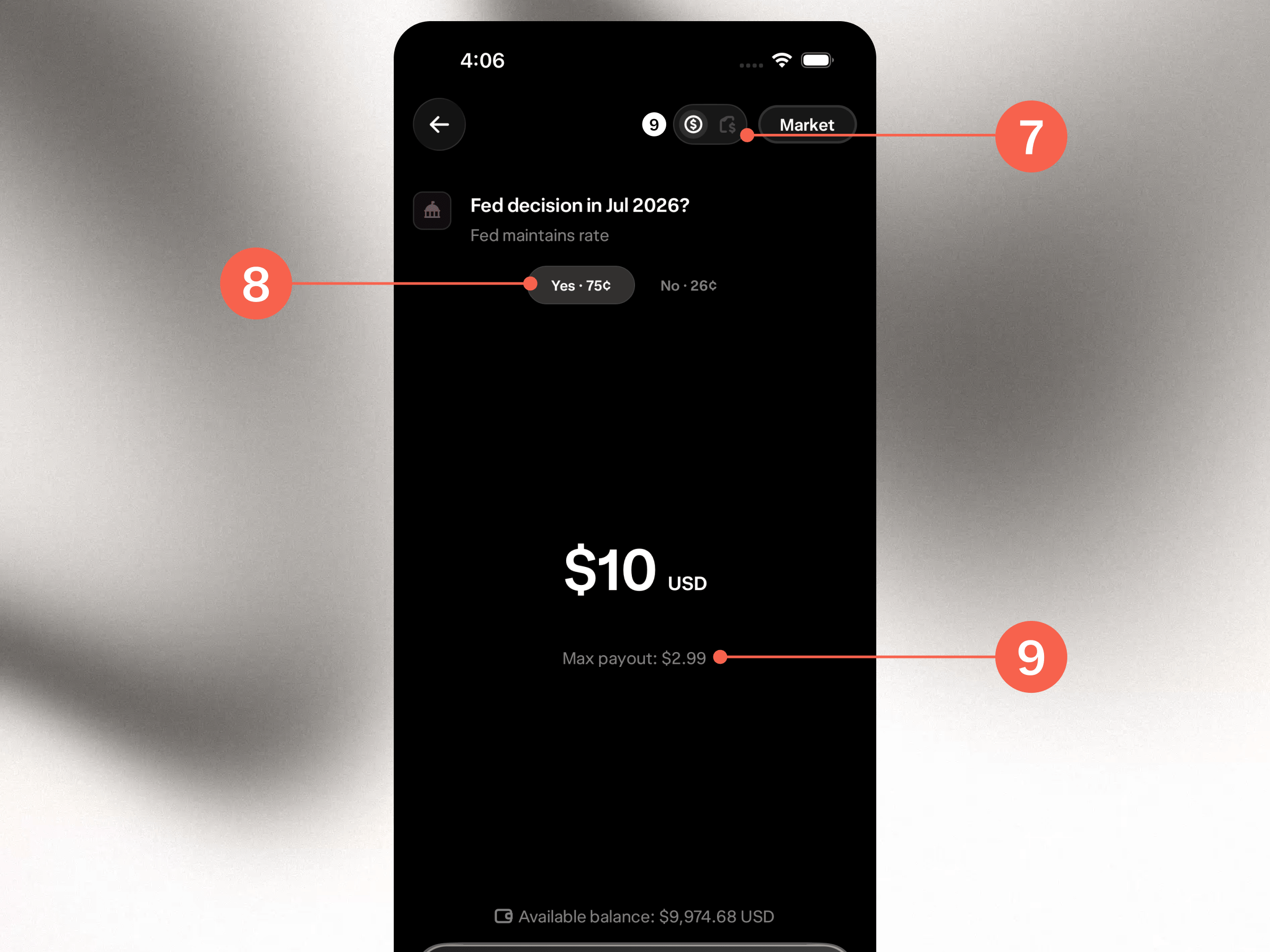
Order type. You can place an order based on how many contracts you want to buy or how much money you want to spend (in USD). Tap the icons to toggle between the options.
Contract options. Pick “Yes” when you think that event will occur within the stipulations outlined in the “market rules” section, and “No” when you don’t.
Potential return. What you stand to make on the trade. For example, if you purchase US$10 worth of “Yes” contracts (each one priced at US$0.75), and your position ends up being correct, the contract pays US$1.00 per contract at resolution, for a per-contract profit of US$0.25, minus trading fees.
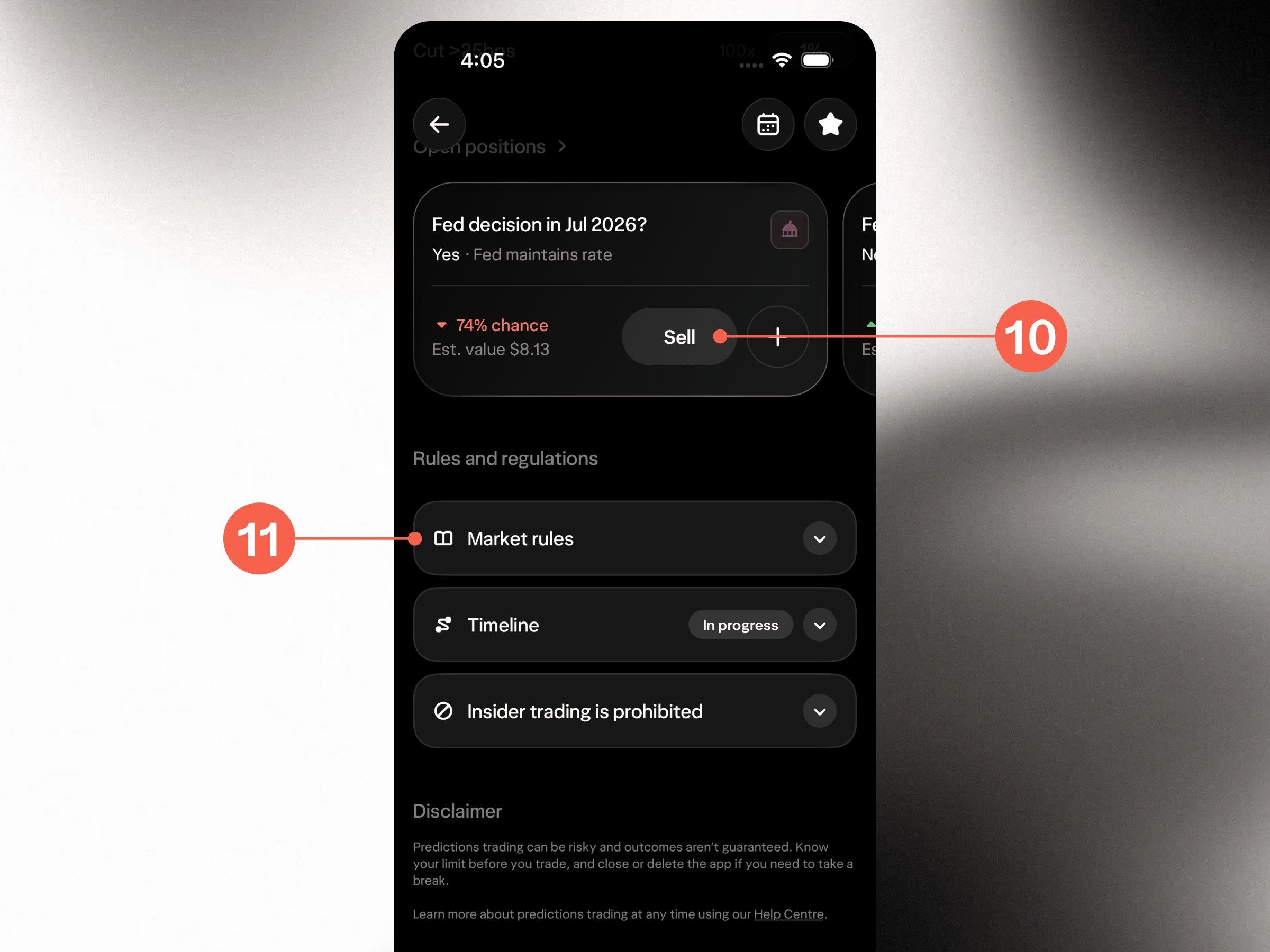
Close your position. You don’t have to hold your position until the market resolves. You can use this option to lock in a profit or cut your losses when you want, assuming there is a buyer willing to take the opposite side.
Market rules. The fine print. This is where each event details the specific criteria upon which it resolves, including the closing date. It protects everyone involved, which is why, even when you think the answer is obvious, it’s still worth reading. This is especially important for closely related outcomes, where definitions matter even more.